A short launch checklist.
Before you share your store — give each domain one job, complete the store details, verify the order, then open the store.
Before you share your store
1. Give each domain one job.
Your main domain belongs on Framer. A checkout subdomain can belong on Shopify. For example: yourbrand.com → Framer, checkout.yourbrand.com → Shopify. A custom checkout domain is optional.
In your DNS provider, use the current records shown in Framer and Shopify. Wait for domain verification and HTTPS to finish. Then test the checkout URL generated by your cart, including its return-to-store links.
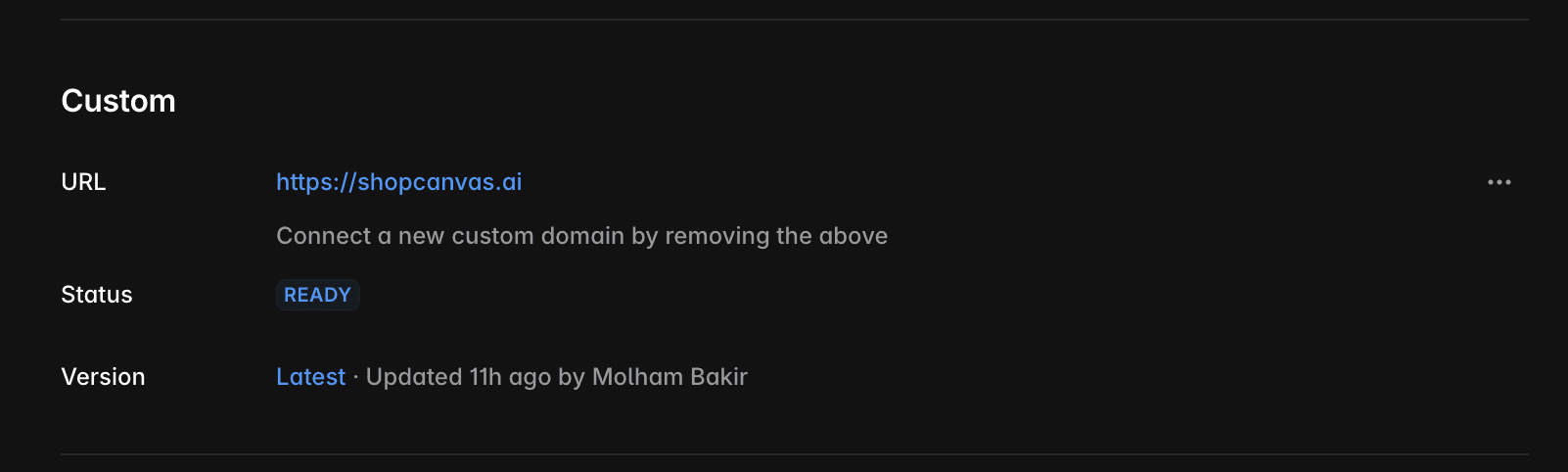
Reference:
2. Complete the store details.
If Shopify says “Add business details to launch store,” open Settings → General and complete the store’s contact/business details. Use the correct business address: these details can be visible to customers. Save, then return to the launch controls.
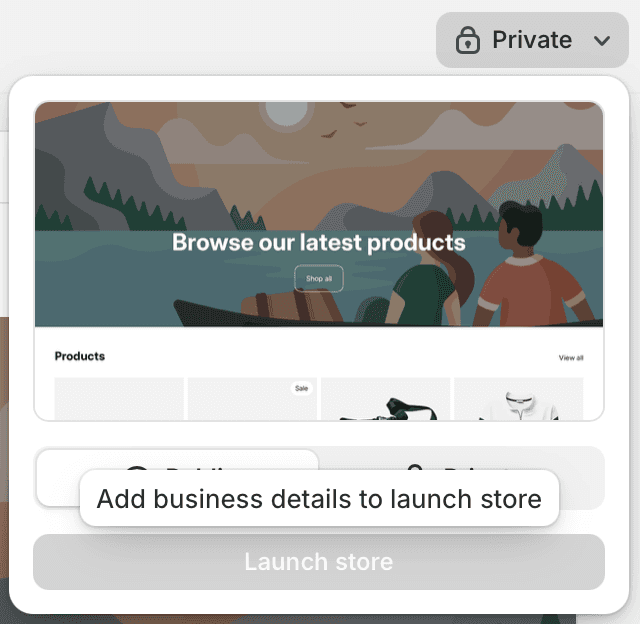
Reference:
3. Verify the order, then open the store.
Confirm your payment setup, order notification, delivery settings and policies. Remove the storefront password only when ready to test or launch. For a digital product, check the actual download received after the controlled order—not just the cart redirect.
What you should see
After launch
Publishing your storefront, receiving an order or adding a domain does not activate a Shop Canvas subscription. Your kit includes lifetime access to future Complete Kit releases we publish; installing updates and maintaining your storefront remain separate tasks. Open-source files keep their own licence rights.